Spread 1 / 5The real app
One evening, one album.
Spread 2 / 5Drag and drop
Design by hand, let the page arrange itself.
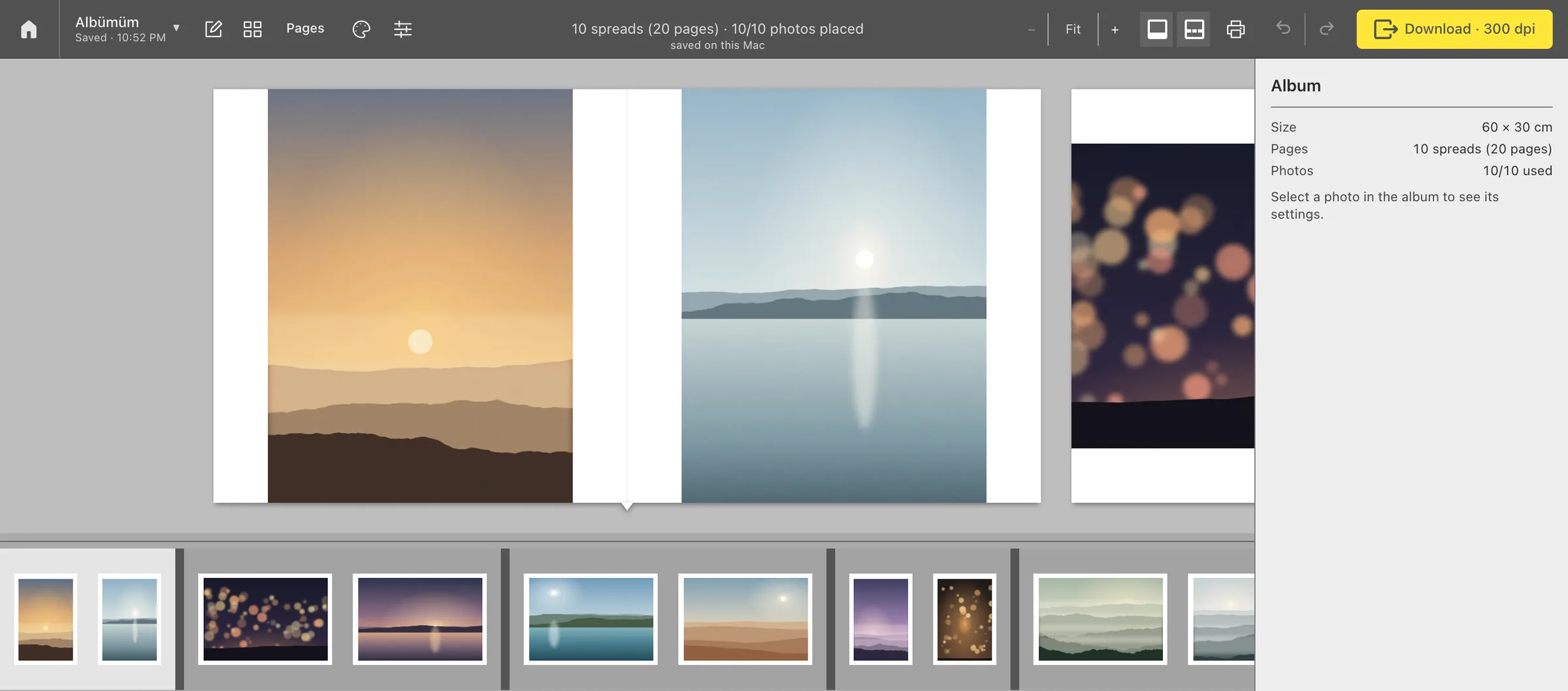
Drag frames from the photo tray onto a spread. Album Studio places each one in a box that matches its orientation.
- Select several frames in the tray and drop them in one move.
- Drop a photo onto a filled box and it joins the spread; the one already there stays, and the page rearranges.
- To replace a photo instead, hold ⌥ Option as you drop.
- Every step comes back with ⌘ Z.
Try it
Portrait frames go to portrait boxes, landscapes to landscape boxes.
Spread 3 / 5Gutter
It never forgets the fold in the middle.
In a lay-flat album the line where the two pages meet splits any photo that lands on it. In gutter-safe collages no box crosses the middle.
A single landscape frame, on the other hand, can run across both pages on purpose. If you place a photo across the fold yourself, the app tells you.
Spread 4 / 5Print
The file you send to print is the one you see.
Every spread becomes a single print file. If a photo doesn't have the resolution, the app tells you before the album ever reaches the printer.
- Resolution
- 300 dpi · 60 × 30 cm → 7087 × 3543 pixels
- File
- JPEG, quality 100, full colour (4:4:4)
- Sharpening
- None, low, medium or high
- Folder
- You choose where the files go

Spread 5 / 5Projects
Every couple, its own project.
Search the Albums screen by name and pick up where you left off. Changes are saved automatically.
A project file carries the layout and the original photos together, so it opens exactly the same on another Mac.
- The Mac app needs no account; your photos stay on this Mac.
- In English, German and Turkish.
- Updates arrive inside the app and install in one click.